
How to Prepare for a Video Interview
Updated October 25, 2026 · 9 min read
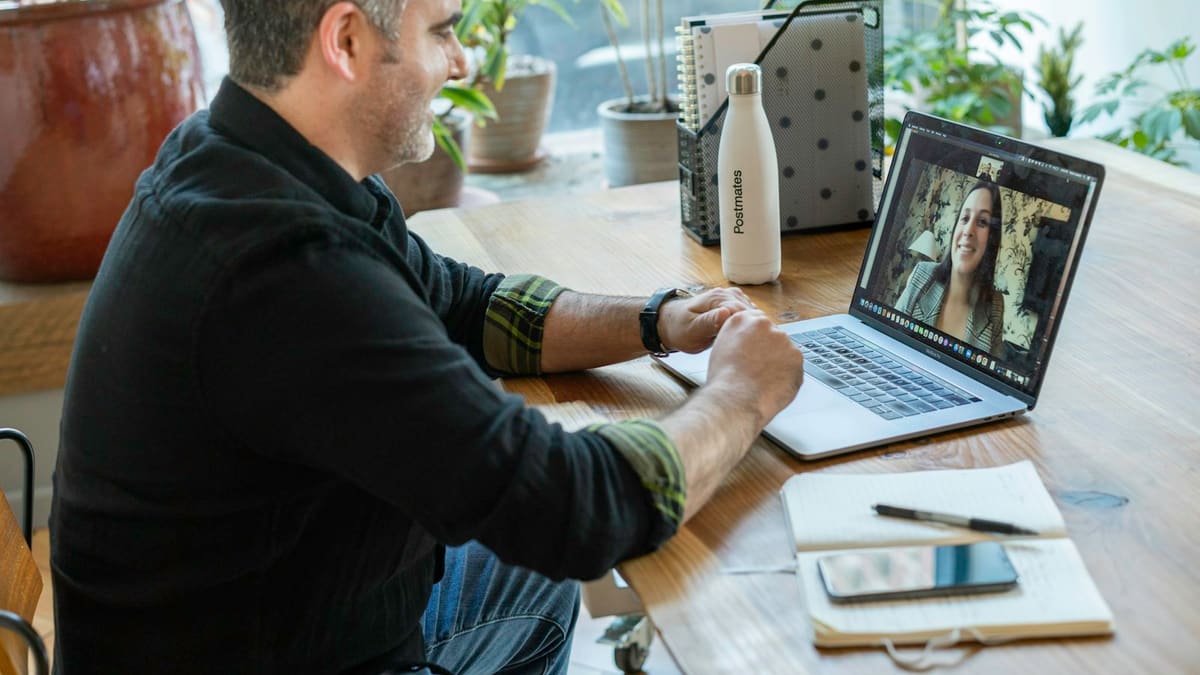
Video interviews are now common for scholarships, internships and jobs, especially when the candidate and the organization are in different countries. The questions are usually the same as in a meeting in person, but the situation is different: you depend on your equipment, your connection and your room, and the interviewer sees you through a small window on a screen.
There are two main formats. In a live interview, you talk with one or more people in real time on a platform such as Zoom, Microsoft Teams or Google Meet. In a recorded, or one-way, interview, you answer questions that appear on the screen while the system records you, and nobody is present. This guide explains how to prepare for both. It does not cover what to say in answers in detail, because our guides on job interviews and on scholarship or internship interviews already do that.
Read the invitation and do a technology check
Start with the invitation. Find the date, the start time and the time zone, the platform, the names of the interviewers and the length of the interview. If the message says which platform to use, install it or open it in your browser at least a day before. Some platforms need an update, a browser permission or an account, and these are annoying to fix five minutes before the call.
A short technology check, ideally on the same day of the week and the same time of day as the interview, should cover the following:
- Internet speed and stability. Use a cable connection if you can. If you use Wi-Fi, sit close to the router and ask others in the house not to stream video during your interview.
- Device battery and power. Plug in your laptop. Close other programs and browser tabs, and turn off automatic updates and notifications.
- Camera and microphone permissions in the platform and in your operating system. Open the platform's test option, or start a call with a friend.
- Your login details and the meeting link, saved somewhere you can find quickly.
- A second device, such as your phone, charged and ready, in case your main device fails.
Camera, lighting and framing
The camera should be at eye level. If you use a laptop, put it on a pile of books so that you do not look down at the lens, which creates an unflattering angle. Frame yourself so that your head and shoulders are visible, with a little space above your head. Sit about an arm's length from the screen.
Light matters more than the quality of the camera. Face a window if you can, so that the light falls on your face. Do not sit with a window or a bright lamp behind you, because you will look like a dark shape. If you have no natural light, place a desk lamp behind the screen, pointing at the wall or ceiling to soften it, or toward your face from slightly to the side. Check how you look in the preview before the interview begins.
Sound and background
Interviewers can forgive a slightly grainy picture, but not usually a voice they cannot understand, particularly when English is not your first language. Wired earphones or a headset with a microphone usually give clearer sound than a laptop microphone and reduce echo. Test the sound by recording yourself for 30 seconds and listening to it.
Choose a quiet room and tell the people you live with when the interview starts and ends. Close the door, put a note on it if that helps, and put your phone on silent. Keep the background simple: a plain wall, a tidy shelf or a neutral place. Virtual backgrounds can look odd and sometimes cut off your head or hands, so use a blur effect only if you cannot tidy the space. Choose clothes as you would for an in-person interview, with colors that stand out against the background, and avoid very small stripes or patterns, which can look strange on video.
Eye contact, voice and body language
In real life, we look at the other person's eyes. On video, if you look at their face on the screen, it seems to the other person that you are looking down. To appear natural, look at the camera lens when you speak, and glance at the screen when you listen. It feels strange at first, so practice. Some people put a small sticker or a sticky note beside the lens as a reminder.
Speak a little more slowly and clearly than usual, because small delays and compressed sound make speech harder to follow. Pause at the end of a thought and wait for a moment before you answer a new question, as people can talk over each other when there is a delay. Sit up, keep your hands visible when you gesture and smile when it is natural. If you did not understand a question, you can say, "Could you repeat that, please? The sound was not clear." That is perfectly acceptable.
Notes, time zones and what to do when the connection fails
Notes are allowed in most live interviews, as long as you do not read from them. Keep a few things within view, but off the camera line: your CV, the job or scholarship description, two or three key examples written as short keywords, and your questions for the interviewer. A sheet of paper with large keywords works better than a full script, because reading makes your voice flat and your eyes visibly move. Do not use a second window for searching for answers, and avoid any tool that helps you cheat, because interviewers often notice and many organizations see it as a reason to reject a candidate.
For time zones, write down the interview time in the organization's time zone and in yours, and check it with a world clock tool. Ask the recruiter to confirm the time in writing if there is a risk of confusion, for example when daylight saving time changes in one of the countries. Join about five minutes early, not much earlier, unless the instructions say otherwise.
Problems can happen even when you prepare well. Agree on a plan beforehand:
- If the video freezes, say so calmly, turn off your camera for a moment to save bandwidth and, if it does not improve, rejoin the meeting.
- If you are disconnected, rejoin immediately using the same link. If you cannot, send a short email to the recruiter at once, explaining the problem and offering to continue by phone or to reschedule. Keep the recruiter's phone number or email address ready.
- If there is an interruption in your room, apologize briefly and continue. Most interviewers understand, and the way you handle the problem is itself information about you.
Recorded one-way interviews
In a one-way interview, you receive a link and log in to a platform. Usually you see each question as text, sometimes also as a video or audio message. You may have a short time to read and prepare, for example 30 seconds or one minute, and then a limit for your answer, for example two or three minutes. Some systems allow one practice question and sometimes one or more attempts for each answer, while others record only once. Read the instructions on the first screen carefully, because the rules differ between platforms and employers. The recordings are reviewed later, often by someone who watches many candidates in one session, so a clear, well organized answer is easier to remember.
Because nobody reacts to you, it is easy to speak too fast, too long or too flat. Treat the camera as a real person, perhaps someone friendly you picture behind the lens. To answer on a timer, use a simple structure:
- First, in one sentence, give the direct answer or the main point.
- Second, give one specific example: the situation, what you did and what happened.
- Third, finish with a short conclusion, such as what you learned or why it fits the role.
- Aim to finish slightly before the time limit, instead of being cut off in the middle of a sentence.
- Use the preparation time to write two or three keywords, not sentences.
- If you make a mistake and have another attempt, use it. If you do not, continue calmly. Small mistakes are less important than they feel.
A practice routine for the week before
Practice with the same equipment, in the same room, so that nothing is new on the day. A simple routine over three or four days is enough:
- Day one: record yourself answering "Tell me about yourself" and "Why do you want this opportunity?" on your phone or laptop. Watch it with the sound on and notice your pace, your eye line, filler words and the light.
- Day two: prepare four or five examples from your studies, work or volunteering that show different skills. Practice each one aloud in about two minutes.
- Day three: do a full mock interview with a friend, a teacher or a career office, on the platform you will use. Ask for honest feedback about the sound and the clarity of your answers.
- Day four: set a timer and answer five random questions with 30 seconds of preparation and two minutes to speak, as in a recorded interview. Then rest.
Pre-interview checklist
- Time and time zone confirmed in writing, and the meeting link or platform login tested.
- Laptop plugged in, notifications off, other programs closed.
- Camera at eye level, face lit from the front, head and shoulders in the frame.
- Headset or earphones tested, room quiet, others informed.
- CV, job description, keywords and questions for the interviewer ready, and a glass of water nearby.
- Phone charged and recruiter contact details saved, for use if the connection fails.
- For recorded interviews: instructions read, a practice question done if offered, and a timer-based practice completed.
- Afterwards: a short thank-you email within a day, if the process allows direct contact.
Technology can feel like the main problem, but a calm, clear and honest answer matters more than a perfect picture. Prepare your equipment once, practice out loud and keep a backup plan, and you can then concentrate on the conversation itself. For the content of your answers, read our guides on how to prepare for a job interview and how to prepare for a scholarship or internship interview.